Agency and professional services automation software

Profitable client work starts with the hours nobody logs.

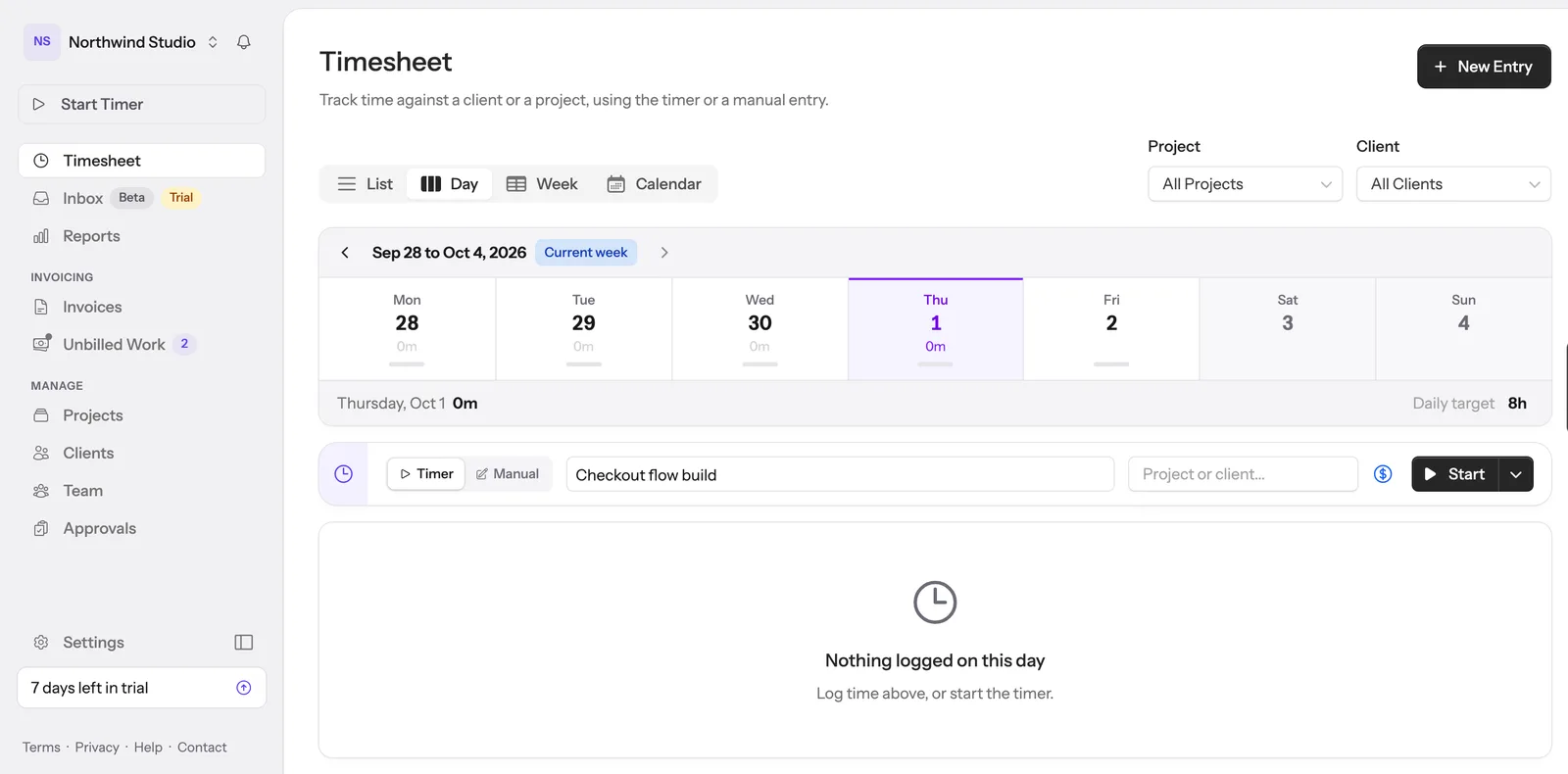
Track time against retainers, projects and ad-hoc jobs, give your team a Customer Support Inbox, see what is still unbilled, and sync approved hours into Xero invoices. The hours that go missing are usually the ones spent answering client email, which is why the inbox sits inside the timesheet.

No credit card. Free plan when the trial ends.

Unbilled client email

Full calculator →

Answering client email is billable work. Most of it never reaches an invoice.

$
20%
Never reaches an invoice Mostly invisible
$66,240

a year, at 552 hours nobody wrote down

$5,520 a month

Your numbers, worked out in your browser. Nothing is sent anywhere and nothing is stored.

Where the margin goes

Three things you stop guessing about

Client work leaks money in the same three places every month: the hours that never get logged, the retainers nobody is watching, and the invoices rebuilt from memory.

  1. Track

    Know what the work costs

    Log ad-hoc jobs, fixed-price projects and monthly retainers as they happen, with the description written while it is fresh. Cost and margin build up in front of you instead of arriving as a surprise on the 30th.

  2. Cap

    Protect the margin you agreed to

    Put a cap on a retainer or a fixed-price project and Hour Cap warns you as you close in on it. You find the overrun on the 22nd, while you can still decide whether to absorb it or bill it.

  3. Bill

    Bill every hour you logged

    Push approved time into Xero as a draft invoice with your descriptions already written as the line items. Nothing gets written off because nobody wrote it down.

One client, one month

Acme Corp, March. 34.5 hours across two projects, against a 30-hour retainer. You crossed the cap on the 22nd and knew that day. The extra 4.5 hours went onto the invoice as a line the client could read, instead of quietly becoming a write-off.

Or watch the whole thing work, start to finish.

Project work and support email land on the same timesheet, burn the same retainer caps, and leave as one draft invoice.

The month you have had before

Sound familiar?

Three things go wrong when you bill by the hour, and they go wrong the same way every month. Here is what happens to each one here.

“It is the 30th and you are rebuilding last month from calendar invites and memory.”

Nothing gets forgotten when the description is written at the time.

“A retainer quietly ran four hours over and nobody noticed until invoicing.”

A budget that warns you at 80% is worth more than a report that tells you afterwards.

“You rewrite every time entry into an invoice line, by hand, every single month.”

Write it once, in the entry. It becomes the line item.

“And half the work is answering client email, which is on no timesheet at all.”

That is the expensive one. It has its own answer, just below.

Customer Support Inbox

The email is the work

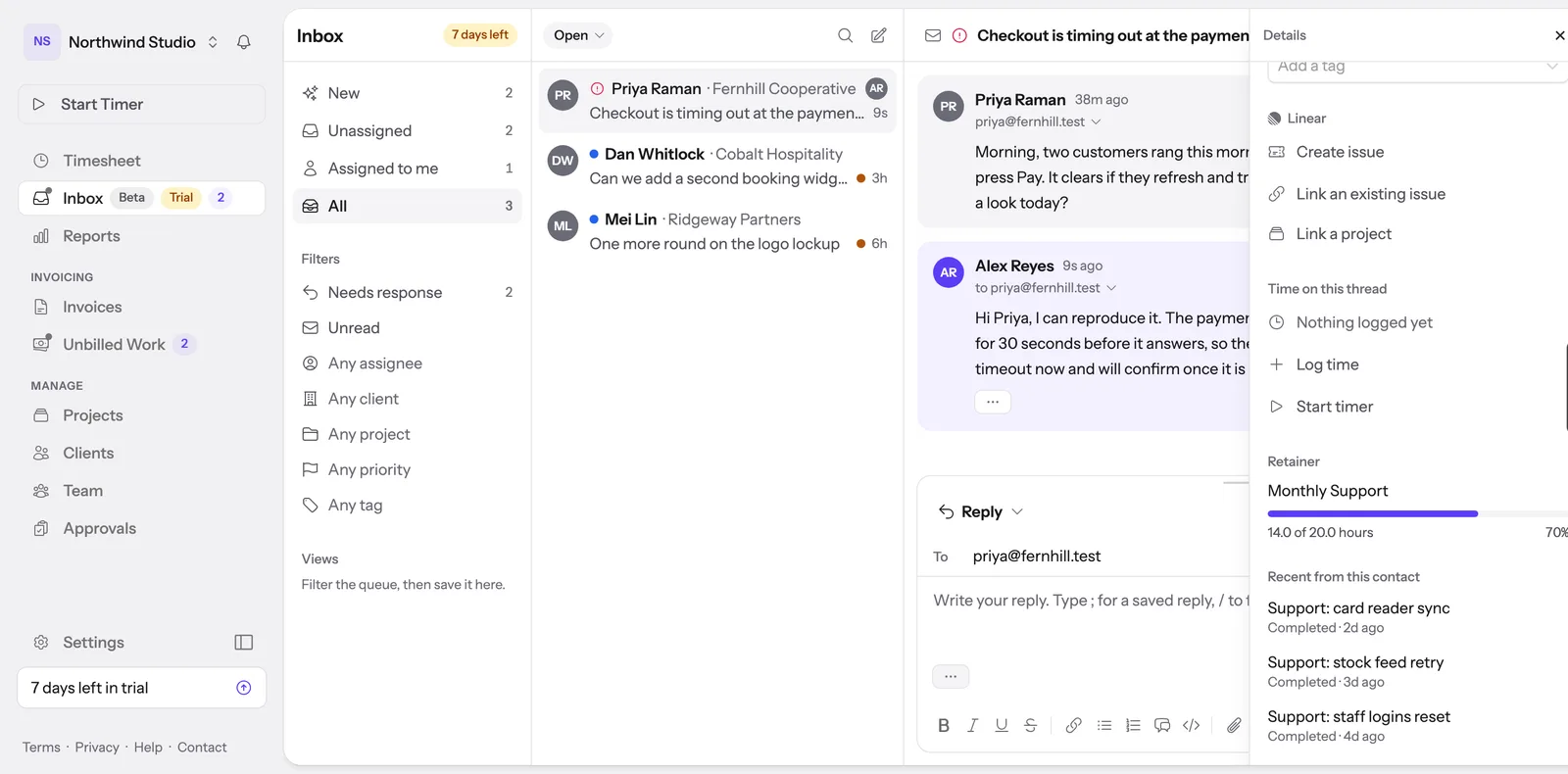
Forward your support address and client mail lands in a shared inbox that already knows your clients, your rates and your retainers. You answer as your agency and log the hour without leaving the thread.

Most agencies run a help desk and a time tracker and keep the two in step by hand. Here the timer sits next to the reply box, so the hour gets written down while you are answering instead of remembered weeks later.

  • Senders matched to the clients synced from your Xero contacts
  • The retainer cap visible while you decide how much effort to give
  • Start a timer or log a duration without leaving the conversation
  • Replies go out from your own domain, under your own name
See the Customer Support Inbox

An add-on on the Team and Business plans, included in your trial.

Checkout is rejecting Amex again Open
P
Priya Raman
9:14am

Morning. Two customers rang this week to say their Amex card bounced at checkout. Visa goes through fine. Can someone take a look before the weekend sale?

Reply as your agency

Hi Priya, found it. Amex was failing the address check on the new gateway rules. Fixed and tested both cards this morning, so you are clear for the sale.

Goes out from your own domain Send
Client
Northwind Studio
Matched from your Xero contacts
Project
Support retainer
Time on this thread
Log time
Start timer
Retainer
Monthly 6 days left
27.5 / 30h
92% 2.5h left
Write once

Write once.
Bill with it.

Most time trackers give you a single line. Hour Cap lets you write detailed, multi-line descriptions on every entry. When you push to Xero, those descriptions become your invoice line item text.

Nothing to rewrite, and no filling in details from memory weeks later.

  • Rich multi-line descriptions per entry
  • Manual entry or start/stop timer
  • Descriptions flow straight onto Xero invoices
Time Entry
Client
Acme Corp
Description

Redesigned the header navigation to support mobile breakpoints.

Tested on iOS Safari and Chrome Android. Fixed z-index layering issue with the dropdown menu.

Duration
1h 45m
Rate
$150.00/hr
Xero Invoice Line

Redesigned the header navigation to support mobile breakpoints.

Tested on iOS Safari and Chrome Android. Fixed z-index layering issue with the dropdown menu.

1.75 hrs × $150.00 $262.50
Never bill a surprise

Budgets that cap themselves

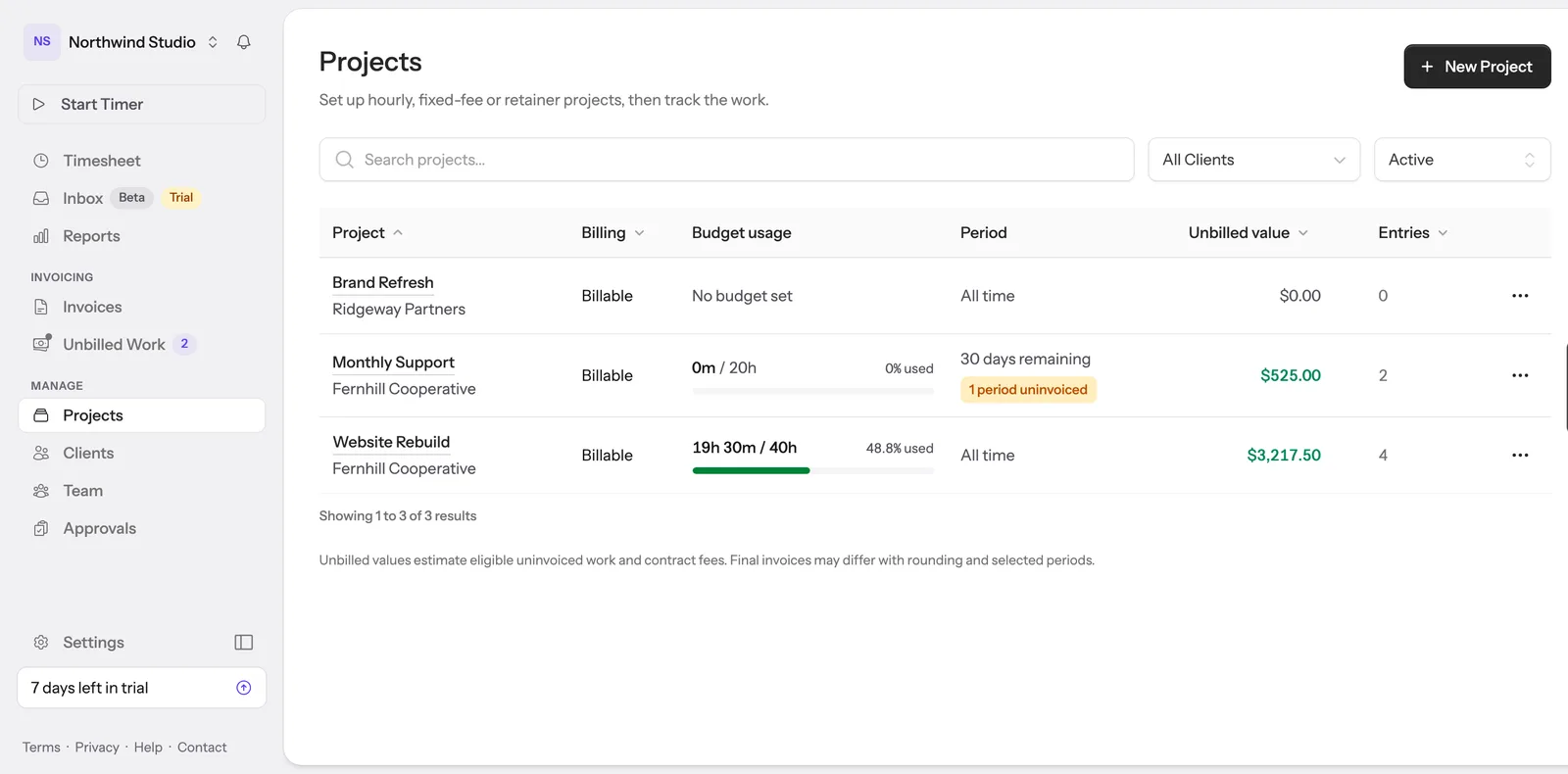
Recurring retainers that auto-reset every billing period. Fixed-price budgets for scoped projects. Or no project at all: log ad-hoc work straight against the client and bill it. Hour Cap tracks usage automatically and shows visual progress with configurable alert thresholds.

  • Retainer budgets that auto-reset each period
  • Fixed-price budgets for scoped projects
  • Or skip the budget and just track time
  • No project needed for ad-hoc work, bill it to the client direct
  • Visual progress bars with alert thresholds
Weekly Fortnightly Monthly Quarterly Custom
Acme Corp retainer Monthly · Feb 1 – Feb 28
6.5 / 8h
81% 1.5h left · 11 days remaining
Northwind rebuild Fixed price
14.5 / 40h
36% 25.5h remaining
DesignLab support Monthly · over cap
11.3 / 10h
113% 1.25h over, flagged before invoicing

Green under the cap, amber approaching it, red once you are over.

Xero-native

Push straight to Xero

Sync your contacts from Xero, then push tracked time as invoice line items complete with hours, rates, and the full descriptions you wrote. Review, adjust if needed, and send from Xero.

Your existing Xero workflow stays exactly as it is. Hour Cap just fills in the gap between tracking your time and getting it onto an invoice.

Xero integration is on the Team plan and above

What Hour Cap accesses in your Xero

We only request the minimum needed to create invoices from your tracked time. Here is the full list.

Reads (for setup)
  • Contact names of your active customers
  • Inventory items (sold items only)
  • Tax rates and tracking categories
  • Revenue accounts and branding themes
Writes (only when you click)
  • Draft invoices, which you approve in Xero before sending
  • New contacts, only the ones you choose to create

No access to bank transactions, payroll, or reports. Hour Cap never edits or deletes anything that already exists in your Xero.

When you are more than one

Working with a team

Hour Cap works solo from day one. These are the parts that matter once other people start logging time against your clients.

Roles and cascading rates Invite members, set roles, and let the billable rate resolve itself: project rate first, then the member rate, then your organisation default.
Review before you bill Members submit weekly timesheets. Managers approve or reject with a reason. Only approved time is invoiceable, so nothing goes out until someone has checked it.
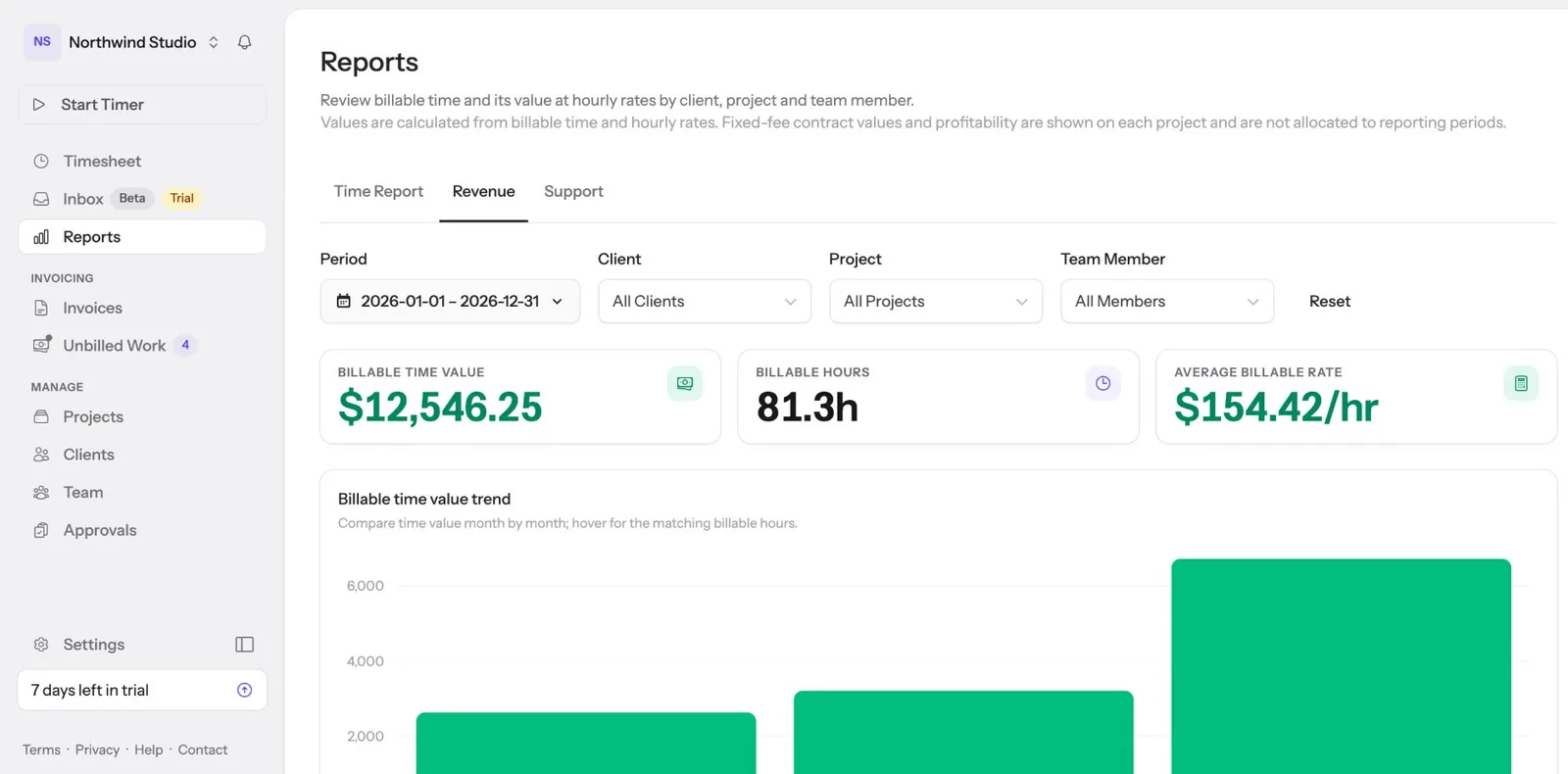
Time and revenue reports Hours, revenue and average rates broken down by client, project and month. Filter by period, then export when you need the numbers elsewhere.

Timesheet approvals and the activity log are on the Business plan. See what is on each plan →

After fifteen years of freelancing I wanted my client work on one system: retainers, fixed-price and hourly, proper descriptions, real profitability, and invoices that land in Xero. Nothing did all of it, so I built it. Every hour I bill still goes through Hour Cap.

Jonathan Bird, creator of Hour Cap
Jonathan Bird
Freelance web developer, Brisbane · Creator of Hour Cap

Built for service businesses that bill hours

Retainers, fixed-price projects and straight hourly work, all tracked the same way and all reaching the same invoice.

Freelancers & Contractors Track, describe and invoice in one flow, without a second tool in the way.
Agencies & Consultants Manage retainer budgets across multiple clients and projects.
IT & Software Development Sprint-by-sprint tracking on ongoing development contracts.
Law Firms Detailed time records with descriptions that stand up to client scrutiny.
Trades & Maintenance Log hours on the go and push detailed job summaries to Xero.
Accountants & Bookkeepers Track advisory hours and compliance work across your client base.

Switching from another tool?

See how Hour Cap compares.

Time trackers
Shared inboxes
See all comparisons →

Common questions

What is Hour Cap?

Hour Cap is time tracking, retainer budgets and invoicing for businesses that bill clients by the hour. A Customer Support Inbox add-on puts client email in the same place, so answering a client and logging the hour happen together. Approved time pushes to Xero as a draft invoice with your descriptions already written as the line items.

Who is Hour Cap for?

Agencies, consultants, software teams, professional services firms, bookkeepers and freelancers. Anything billed by the hour, on a retainer or at a fixed price. It works for one person from day one, and adds roles, per-member rates and timesheet approvals once there is a team.

Can one tool handle time tracking, client email and invoicing?

That is what Hour Cap is built to do. Project work and client email land on the same timesheet, burn the same retainer caps, and leave as one draft invoice in Xero. Most teams run a time tracker and a help desk side by side and keep the two in step by hand.

How do I bill for the time spent answering client email?

Forward your support address and client mail arrives in a shared inbox already matched to the client from your synced Xero contacts. You reply from the thread and start a timer or log a duration there, with the retainer meter visible while you decide how much effort to give. Those hours reach the same invoice as project work.

Do I need Xero to use Hour Cap?

No. Time tracking, retainer caps, approvals and reports all work without it, and the free plan has no Xero connection. The integration is on the Team plan and above, and it is what turns approved time into a draft invoice without retyping line items.

Does Hour Cap do resource planning and forecasting?

No. There is no capacity planner, no scheduling board and no revenue forecast. Hour Cap covers the hours themselves: tracking them, capping them, approving them and billing them. If you need to plan who is booked on what next quarter, you want a resourcing tool alongside it.

What does Hour Cap cost?

There is a free plan, a Team plan and a Business plan, with the Customer Support Inbox as a per-seat add-on on top of either paid plan. Every feature is unlocked for 7 days when you sign up, no card required, and the free plan is waiting if you decide not to upgrade.

Start tracking time today

Every feature unlocked for 7 days. No credit card, and a free plan waiting if you decide not to upgrade.

Free plan after the trial
No credit card
Set up in minutes

Built by an independent freelancer who bills with Xero every month, not a faceless software company.